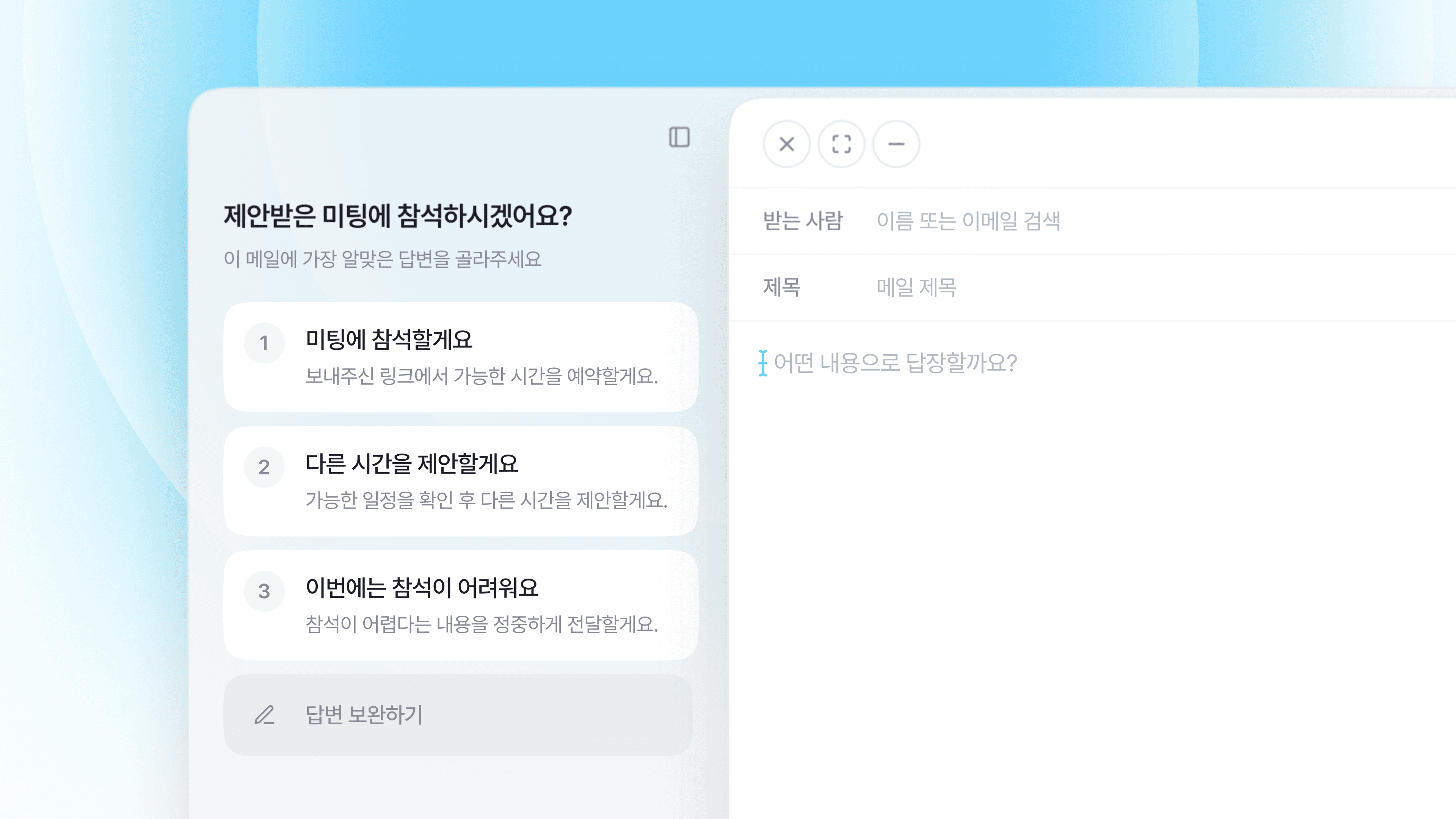
Don't explain the email content. Just choose the response
“In the time it takes to copy the email and explain the situation to AI, I might as well just reply myself.”
If you've ever used AI to write an email reply, you've probably had this thought at least once.
Having AI write sentences for you is convenient. However, there are still a lot of things the user has to do before getting a reply.
Dearworks has eliminated the most tedious part of this process first.
To ask AI to reply, you first had to explain the email
To write a reply with a typical AI tool, you first need to copy the received email.
You have to open the AI tool, paste the content, and then explain your relationship with the other party, what conversation you had previously, and what direction you want to reply in.
For example, let's say a company you started working with proposed a meeting schedule. But you can't make it to the proposed time, and you need to politely suggest another time.
To ask AI to reply, you have to tell it all of this yourself.
What your relationship is with the other party
When the proposed schedule is
The reason why you can't attend at that time
The schedule you want to propose instead
What tone of voice you should reply in
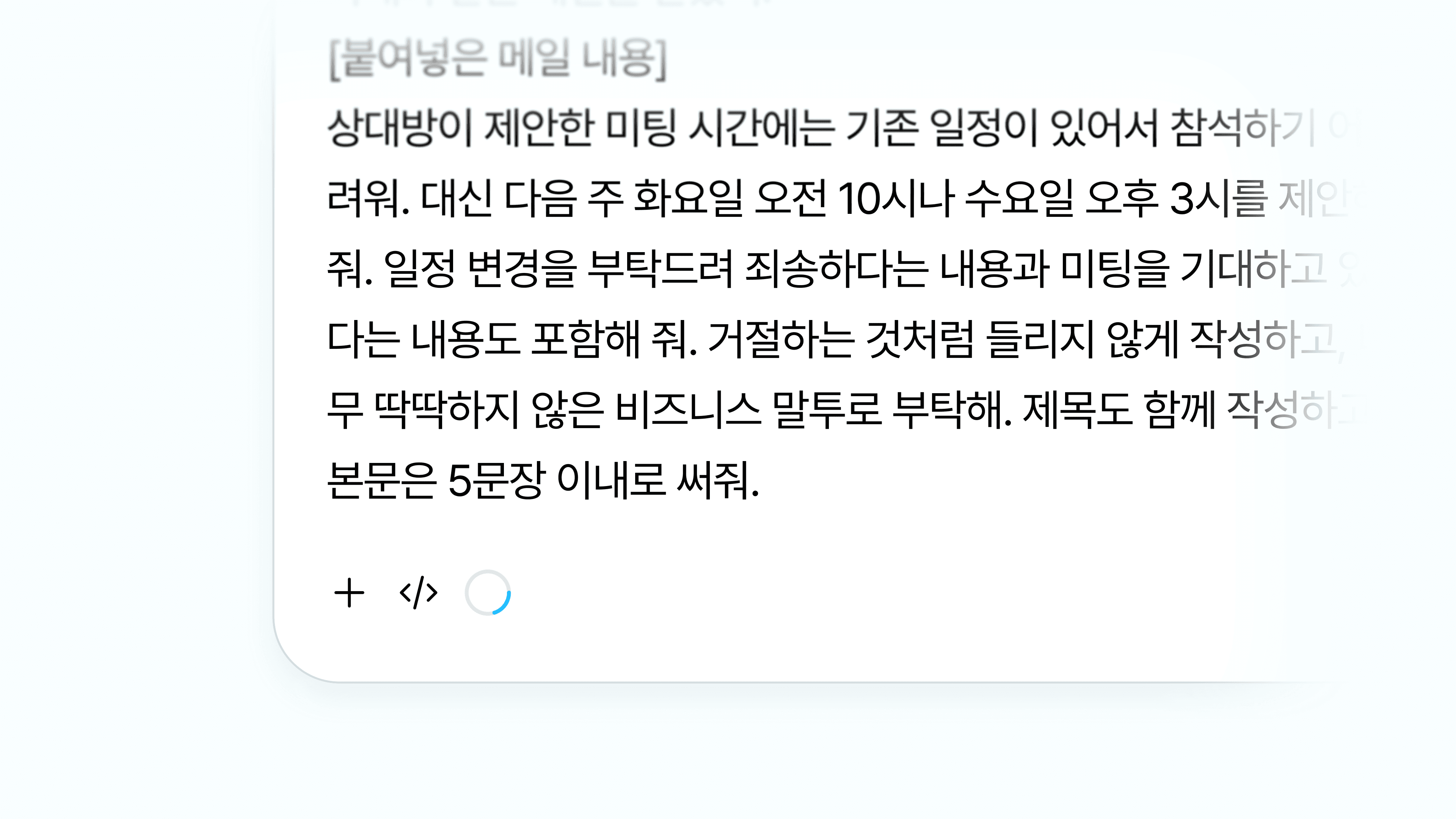
In the end, you end up writing a long prompt like this.
I received a meeting proposal email from a company we started working with last week. Since it's still the beginning of our contract, I want to reply as politely as possible. It's difficult to attend at the proposed time, so I need to suggest another time. Please apologize for the inconvenience of rescheduling and mention that we are looking forward to the meeting. Write it in a business tone that is not too stiff.
It's like explaining the content already written in the email to the AI all over again from the beginning.
Even after the draft reply is completed, the process is not over. You have to copy the results, go back to the email, paste it, and then correct unnatural expressions.
Dearworks eliminated the 'explaining' step altogether
Dearworks' AI Reply Assistant is right inside your email.
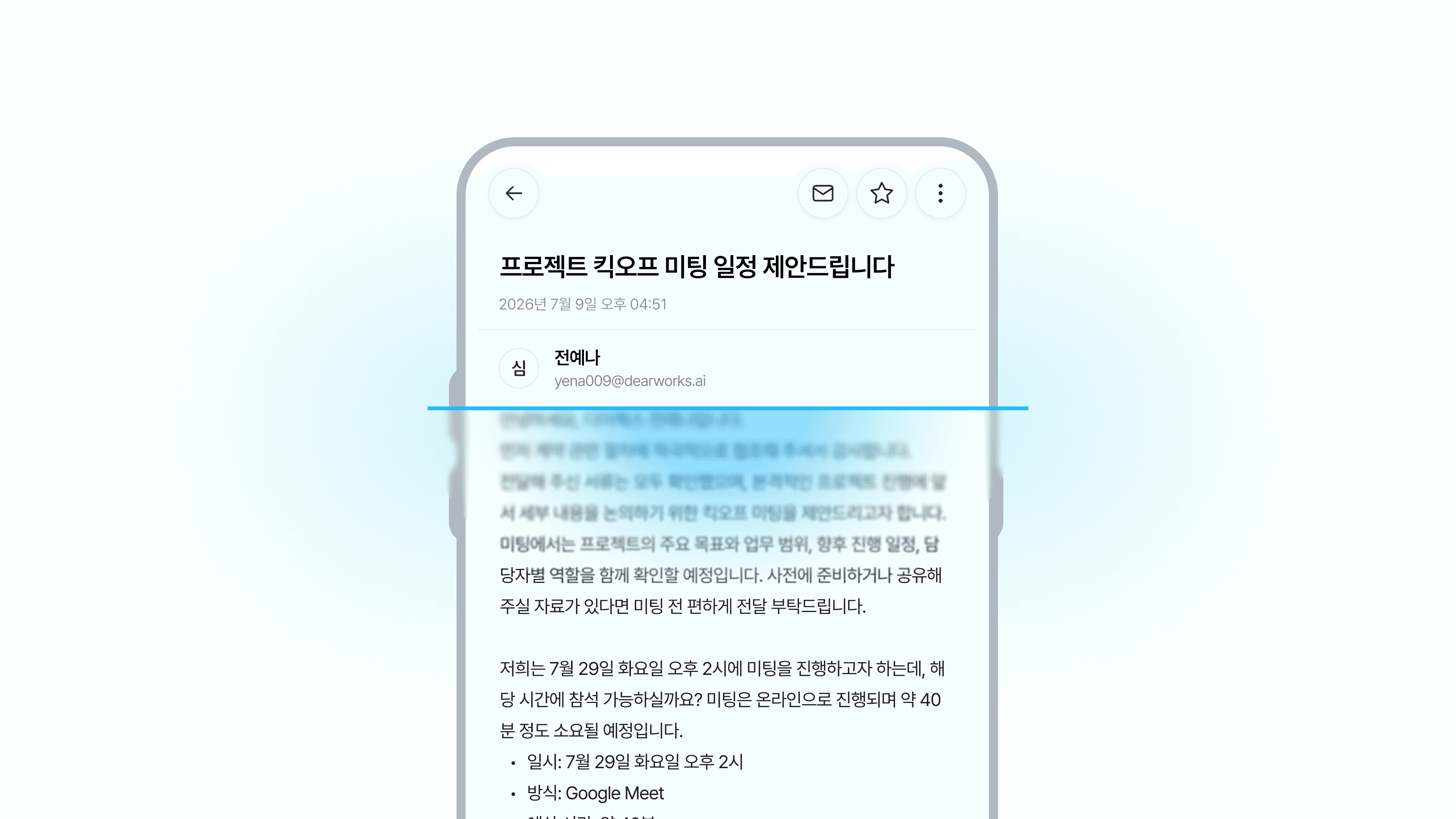
When you click Reply, the AI reads the received email and the conversation thread first. It figures out what the other party asked for and what reply they are waiting for on its own.
So there's no need to copy the email. You don't have to explain the background of the conversation or your relationship with the other party from scratch either.
Because the AI already read the email.
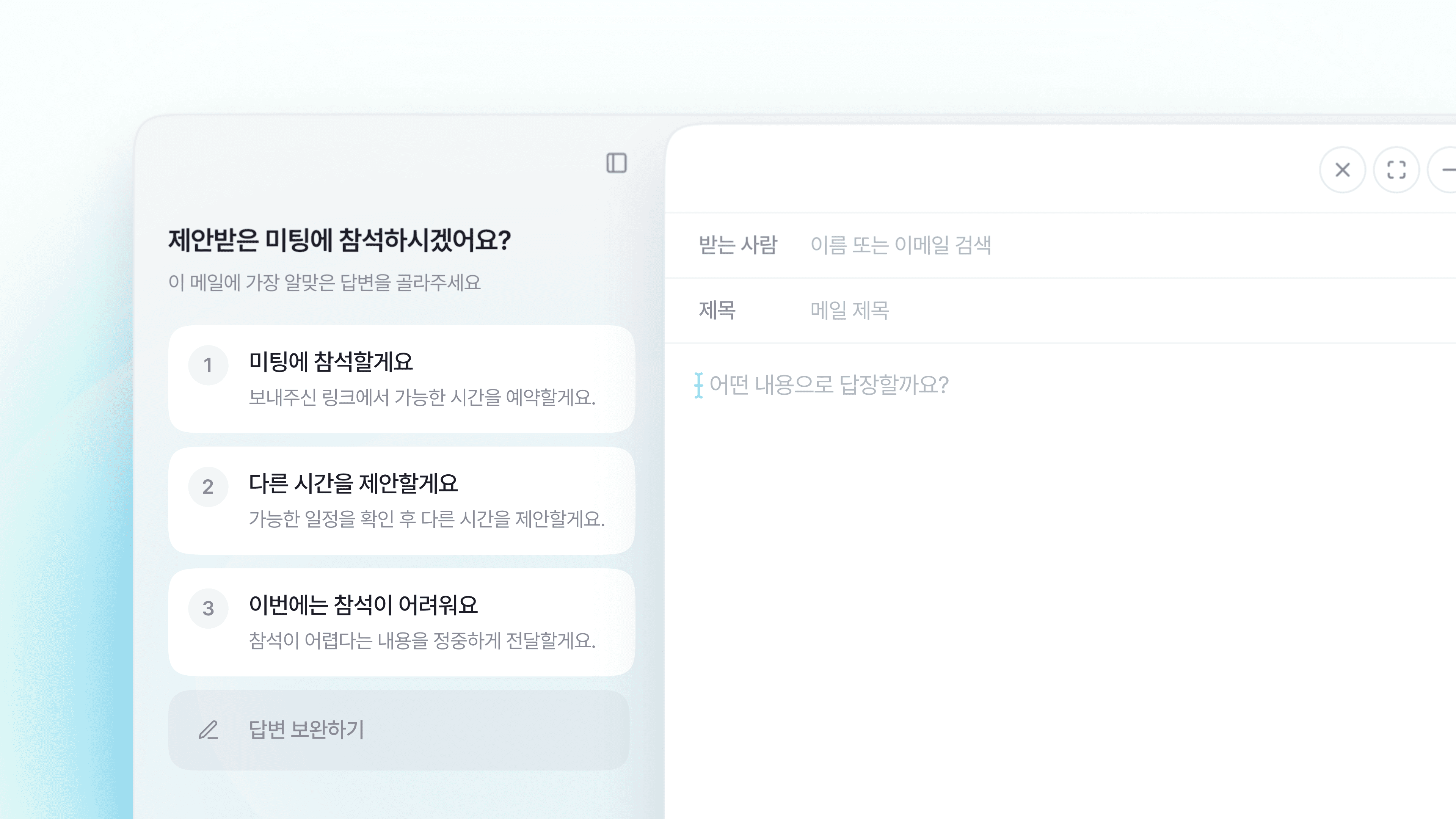
It also shows choices for what to reply
After reading the context of the email, the AI shows options for what you might want to reply.
If it's a meeting proposal email, choices like these might appear.
I will attend at the proposed time
I will suggest another time
It is difficult to attend this time
You don't have to worry about what to write and how to write it.
The AI figures out the context of the email, and you just have to choose the response you want.
Choose the answer you want, and the email is completed
Let's say you selected 'I will suggest another time'.
Dearworks doesn't just translate the selected content into a single sentence. It completes a reply with a natural greeting, expressions of gratitude, a request to change the schedule, and a closing greeting.
It goes like this.
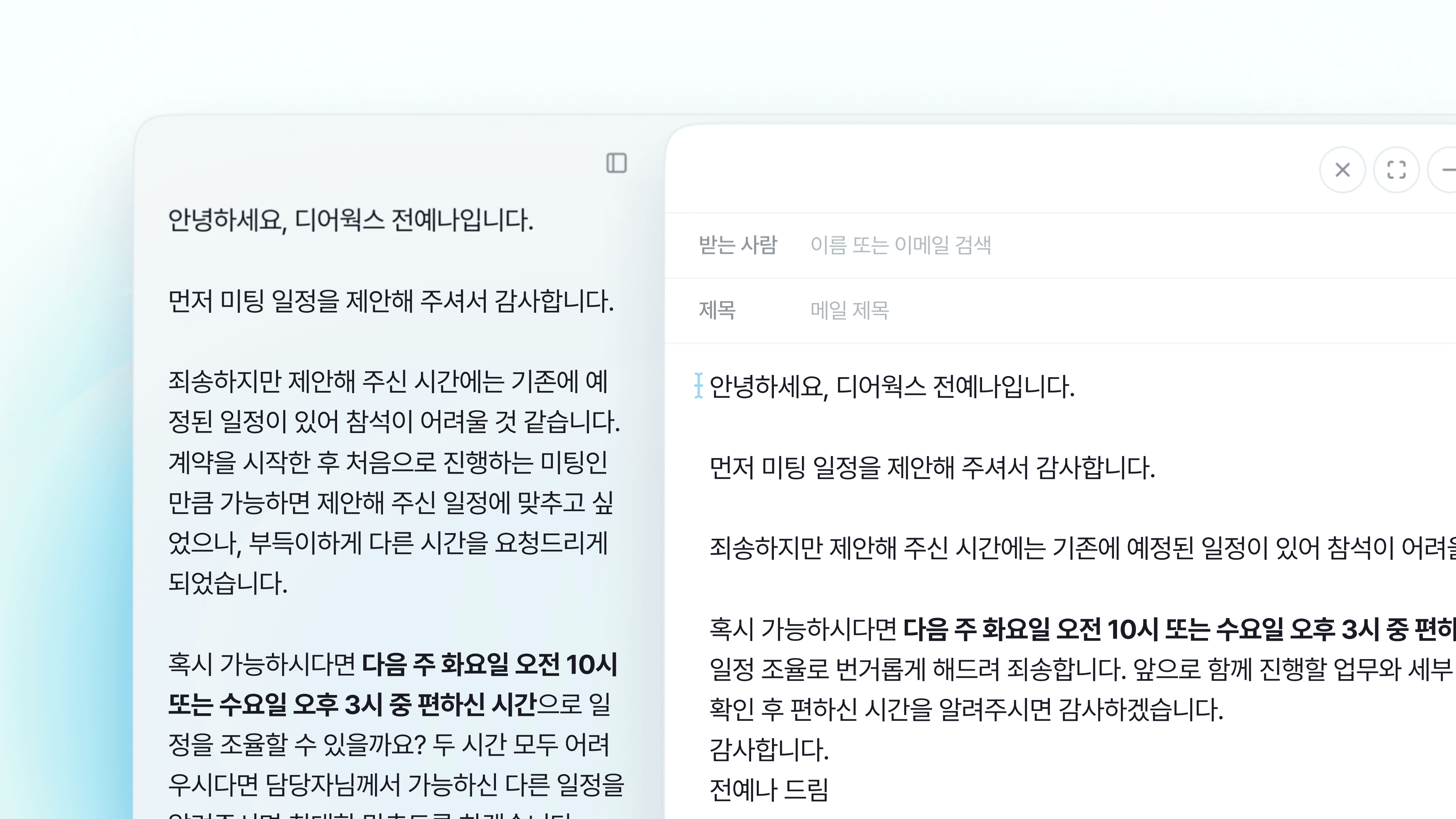
Hello, Dearworks manager.
Thank you for first suggesting the meeting schedule. I am sorry, but I have an existing schedule at the time you proposed, so it seems difficult to attend.
If possible, could we coordinate the schedule next Tuesday at 10:00 AM or Wednesday at 3:00 PM, whichever is convenient for you? If both times are difficult for you, please let me know another available schedule and I will do my best to accommodate it.
I apologize for the inconvenience of coordinating the schedule. I look forward to talking with you in detail at the meeting.
Thank you.
The completed draft is applied directly to the reply window.
Just check the content, adjust only the necessary parts, and send it, and you're done.
No copying, no long prompts needed
Previously, you had to go through many steps to get an AI reply.
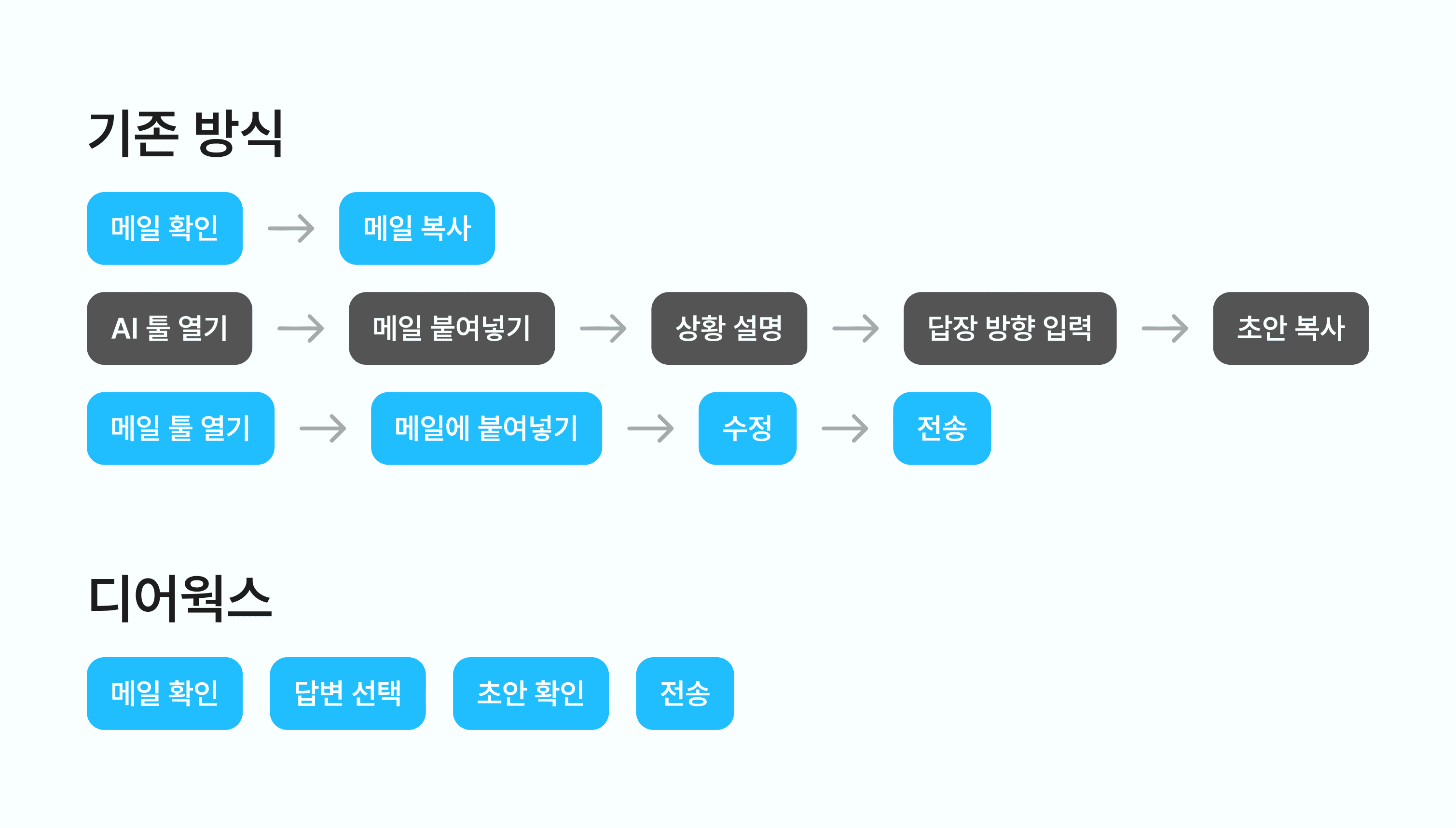
There is no need to go back and forth between email and AI tools. You don't have to worry about long prompts or copy the completed reply back.
Tasks that used to require going back and forth several times are finished with just a few choices inside Dearworks.
A good AI even reduces the work the user has to do
It's not enough for an AI to just write a draft reply.
If we have to move emails, explain the existing context all over again, and bring back completed results just to use AI, our work won't decrease as much as we think.
A good AI doesn't just write sentences for you. It also has to reduce the work the user had to do to get those sentences.
Dearworks will read the email content.
It will show you the reply options first.
You just choose the response you want.
No copy & paste, no long explanations, and replying right inside the email.
Try Dearworks' AI Reply Assistant.